
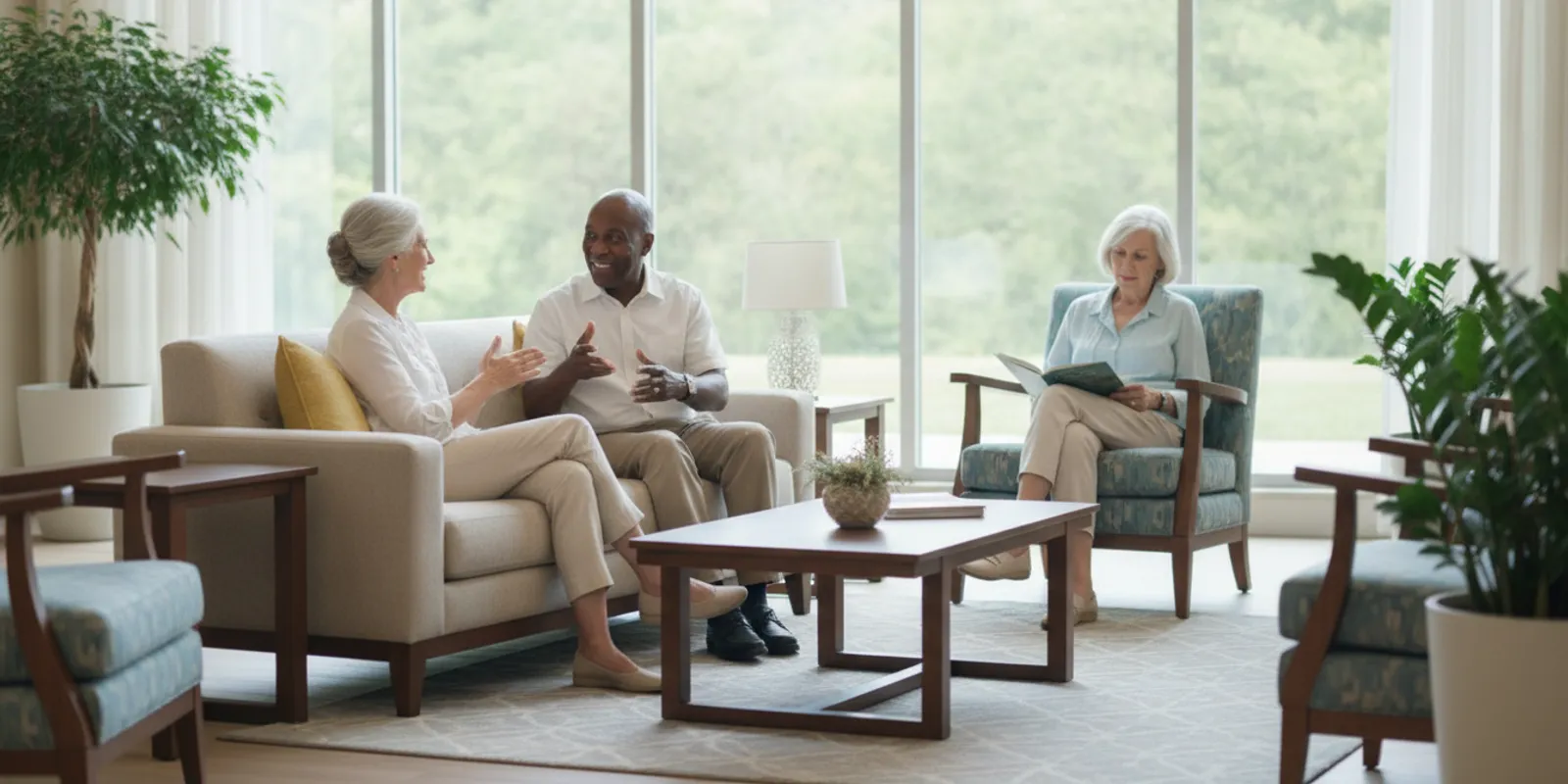
A useful senior living photography package comparison starts with the community’s communication goals, not the number of images in a quote. A package can look generous on paper and still miss the details that help a prospective resident or family understand daily life: the welcome at the entrance, the dining experience, the places to gather, and the range of living options. This guide shows marketing teams how to compare scope, production plans, usage rights, and delivery terms before booking.
Discuss your community photography needs
What should a senior living photography package comparison answer?
A comparison should help your team decide whether a proposed shoot will produce the images needed for real marketing uses. It is not simply a contest between the lowest price and the largest image count. The right scope depends on what the community needs to communicate, which spaces are ready to photograph, who may appear in the images, and where the final files will be used.
Start by writing down the decisions the photography must support. A community might need to refresh its website, introduce a new residence, support a sales team’s presentations, update a brochure, or give its social channels a consistent supply of current visuals. These are different needs. A website refresh may require a broad library that represents the property and its atmosphere. A focused campaign for a renovated dining room may need a smaller, carefully planned set of images. A package designed for one objective may not cover the others.
Compare proposals against the same basic questions:
- Which buildings, areas, and experiences are included?
- How many final images are delivered, and what does “final” mean?
- Will the plan include people, and how will permissions be handled?
- What planning, styling, travel, retouching, and delivery work is included?
- Where may your organization use the images, for how long, and in what formats?
- What needs to be ready before the shoot, and who coordinates it?
Using a shared checklist makes it easier to see whether two quotes are genuinely comparable. If a proposal leaves a major item unclear, mark it as an open question rather than assuming it is included. That simple habit can prevent a low headline price from masking missing work or an apparently expensive package from being judged without its full deliverables.
How should a team define the purpose before comparing packages?
Define the primary use first, then list secondary uses. For example, a team preparing a new community website may need a complete visual library, while a community with a solid library may need seasonal lifestyle images for social posts. A sales brochure, a recruitment page, a digital campaign, and a virtual tour each place different demands on the images. The package should respond to those demands instead of treating every shoot as a generic collection of attractive rooms.
Write a one-paragraph brief that names the audience, the communication problem, the priority channels, and the required delivery date. Be specific about the audience without reducing it to a stereotype. A family member researching options and an older adult exploring a future move may both view the same website, but may look for different information. Clear photography can make spaces, routines, and points of connection easier to understand; it should not be expected to answer questions that belong in copy, a conversation, or a site visit.
Then separate must-haves from nice-to-haves. Must-haves might include a welcoming arrival image, representative apartment interiors, dining, outdoor areas, and a small set of people-led scenes. Nice-to-haves might include alternate seasonal views or extra detail shots. This distinction gives the photographer a way to prioritize if weather, resident schedules, or room readiness changes the day’s plan.
Ask who will approve the brief and who will use the delivered library. Marketing, operations, community leadership, and sales teams may have different priorities. Get their input early, then identify one person who can make final decisions about the shot list. A shoot becomes less efficient when approvals are postponed until the photographer is already on site. A clear brief also helps your team evaluate whether the proposed package covers the job, rather than comparing packages by a single number.
Which spaces should a senior living shoot represent?
A strong scope reflects the actual experience of the community. It should not devote every image to a polished model apartment or a single dramatic amenity. Consider how a prospective resident or family member might move through the property: arrival, orientation, private living space, meals, activities, outdoor time, and moments of quiet. The best mix will vary by community, so treat this as a planning map rather than a mandatory shot list.
Common areas to consider include the entrance and reception, lounge or gathering rooms, dining spaces, activity areas, fitness or wellness rooms where relevant, landscaped outdoor areas, and circulation spaces that help someone understand the layout. Private spaces may include a representative apartment or suite, kitchen or kitchenette details, a bathroom, and storage or furnishing details if these matter to the audience. Include more than one type of residence when the community offers distinct options and each is important to the marketing story.
Do not photograph a room only because it is visually impressive. Ask what it helps explain. A dining room image can convey the character of a shared meal, but may need a broader view and a closer detail to show both the space and its atmosphere. An entrance image can establish orientation and welcome. A lounge image can show how people might gather, provided the scene is natural and the participants are comfortable. This intentionality makes every shot more useful across channels.
Review the property map and identify areas that are unavailable, under renovation, or not appropriate to show. Confirm whether the shoot should include one location or multiple buildings, and whether each area can be photographed at a time when it is clean, calm, and accessible. If the visual library will support several communities, avoid assuming that one site’s images can stand in for another. Accurate representation matters: the images should reflect the property they are intended to market.
How should people and resident experience shape the scope?
People can make a photograph feel warm and lived-in, but their presence requires thoughtful planning. Decide whether the brief calls for staff, residents, visitors, models, or a combination, and clarify what each participant is being asked to do. A quiet conversation, a shared activity, or a greeting may feel more natural than asking people to pose toward the camera. The goal is to represent the community respectfully, not to stage a scene that makes residents feel like props.
Consent and privacy procedures should be agreed with community leadership before the shoot. Ask who is responsible for inviting participants, collecting releases, confirming the scope of permission, and flagging anyone who should not be photographed. The photographer should know the site’s process and follow directions from the designated contact. Do not assume a resident’s presence in a public area means permission to use their image in marketing. If participants are not available or permission cannot be confirmed, the shot plan should have alternatives.
Consider representation across the image set. A library made up only of empty rooms may feel detached, while a library showing one person repeatedly may not reflect the variety of the community. Plan scenes that show genuine interaction and the character of the place, while avoiding unsupported implications about care, services, or outcomes. Do not portray a staged activity as a service the community does not offer. If a particular amenity, program, or level of support is important, confirm the description with the team responsible for it.
Timing matters. Coordinate photography around meals, activities, quiet hours, housekeeping, and resident preferences. Let staff know which areas will be photographed and when. Provide participants with a simple explanation of the shoot and make it easy for them to decline. A considerate plan reduces disruption and usually leads to more relaxed images. When comparing packages, evaluate whether the photographer’s proposed schedule leaves enough time to work carefully with people rather than treating human moments as quick add-ons.
How should the community’s offering shape the shot list?
Senior living is not a single visual category. Communities differ in their physical layout, resident routines, amenities, and the options they present to prospective residents. A package should make the relevant distinctions easy to see without trying to communicate every detail in one photograph. Start by asking the community team which choices or features prospective residents most often need help understanding, then identify the spaces that can show those features accurately.
If a property offers several residence styles, decide whether each needs its own image or whether one representative interior is enough for the intended use. If dining, activities, outdoor spaces, or shared lounges are important parts of the story, plan scenes that show their character and practical layout. A team may also need wayfinding or circulation views so that images do not present only isolated, highly staged rooms. The mix should reflect the actual property and the information the marketing materials need to convey.
Ask operations or community leadership to review the planned shot list for accuracy. They can confirm whether a room is available to residents, whether an activity is offered, and whether a photograph could create a misleading impression. This review is especially useful when the same library will be used across more than one community: shared brand styling can create visual consistency, but the images still need to depict the specific property accurately.
Where a community serves audiences with different needs, avoid relying on visual shorthand or stereotypes. Show real spaces and appropriate interactions, and let clear copy explain services, eligibility, or care details. The photo brief is a production tool, not a substitute for those explanations. A carefully selected image can support an accurate story; it cannot stand in for information that belongs in the community’s written materials or direct conversations.
What image types belong in the package?
Think in terms of a balanced library rather than one format. Wide establishing views help orient the viewer and show a room’s scale. Medium views show how furniture, people, and activity relate. Close details can convey materials, table settings, books, greenery, or other visual character. A package focused only on wide images can feel impersonal; one made mostly of details may fail to explain the property.
Ask whether the quote covers interior and exterior photography, daylight and twilight options, lifestyle scenes, detail images, and aerial or drone work if appropriate. Drone imagery may be useful for showing the site and its relationship to the surroundings, but it is not automatically needed for every community. Confirm site permissions, conditions, and any practical restrictions before including aerial work. Similarly, a twilight exterior can add visual variety, but it may require a separate schedule or additional production time. Confirm those details rather than assuming all looks are part of a standard package.
Also discuss orientation and composition. Some images may need to work in wide website banners; others may need vertical crops for social channels or mobile layouts. Requesting a specific crop does not mean every image can be cropped every way without losing important content. If your team needs multiple formats, identify the priority placements and ask how the photographer will frame the scenes. A flexible composition can help, but a dedicated alternate frame may be more effective for a key use.
Ask whether the delivered selection will include a mix of polished hero images and practical supporting views. Hero images can establish a first impression. Supporting images can answer specific questions about a residence, amenity, or daily setting. A team that receives only dramatic hero shots may have to reuse them everywhere, while a set of only documentary views may not provide a strong lead image for a campaign. Make the desired mix visible in the brief and in the delivery expectations.
How many final photos are enough?
There is no useful universal image count for every senior living photography package. The right quantity depends on the number of locations and spaces, how many scenes require people, the number of final channels, and whether the images need to represent multiple residence types or audience priorities. A count without a shot list tells you little about whether the package will meet your needs.
Ask the provider to distinguish between photographs captured and finished images delivered. The camera may record many frames for each setup, but your team usually needs a smaller edited selection. Confirm whether the quoted number is a guaranteed minimum, an estimate, or a cap. Also ask how duplicates, alternate angles, and near-identical frames are treated. Ten versions of the same lounge do not offer the same range as ten images showing distinct spaces and uses.
A practical way to estimate quantity is to map needed images to placements. List the main website sections, key brochure pages, planned social content, and any campaign landing pages. Mark which placements need unique images and which can use a shared visual. Then build in a reasonable reserve for future use, while remembering that an image library is more useful when it is organized and current than when it is simply large.
Consider a hypothetical community with a website refresh and a small social launch. The brief might prioritize one exterior, several common-area views, representative residences, a handful of details, and a few people-led scenes. A community opening a new building may need a different allocation, with more attention on that building and its relevant shared spaces. These examples are planning illustrations, not standard package counts. Ask each provider to explain how its proposed image count maps to your shot list and what happens if a planned area or scene cannot be photographed.
What production and editing details should you compare?
Two packages with the same number of final images may include very different production work. Compare the time allowed on site, the number of photographers or crew members, planning calls, shot-list development, styling support, lighting, image selection, retouching, and file delivery. Ask whether travel or lodging is included, quoted separately, or dependent on the location. Confirm local availability and travel arrangements for your property rather than assuming that every location or date has identical logistics.
Clarify what image editing means. Basic color and exposure adjustments are different from extensive object removal, composite work, or changes to a room’s appearance. Ask how the provider handles personal items, reflections, temporary signs, and other distractions. Set clear expectations about work that could misrepresent the space. Images should present the property attractively while remaining a fair depiction of what a visitor can expect.
Confirm the review process. How will your team view proofs? How many rounds of selection or revision are included? Who consolidates feedback, and how long does the team have to respond? If several departments provide comments, assign one person to reconcile them. Otherwise, different reviewers may request conflicting edits or cause delays. Ask whether changes after final approval are charged separately, and whether the provider will retain the original files or project files.
Delivery can affect how useful the library is. Ask for the file types, dimensions, resolution, color profile if relevant, naming convention, and delivery method. Confirm whether the files will be organized by location, space, or intended use. A well-labeled collection is easier for a distributed marketing team to use than a folder of generic filenames. If your team needs web-ready versions and high-resolution masters, list both in the scope. These operational details may not be visually exciting, but they affect whether the finished work can be used efficiently.
When does a community need a full refresh or a focused update?
A complete library refresh makes sense when the current collection no longer represents the property, when major spaces have changed, or when the team cannot find suitable images for important channels. A focused update may be more suitable when most core spaces are still accurate and the gaps are specific, such as a new outdoor area, renovated lounge, or updated residence. These are planning distinctions, not fixed package categories; the team should define the scope with the provider.
Check each asset for accuracy, condition, rights, and usefulness. An image can still be visually strong but show furniture, finishes, signage, or landscaping that has changed. Another may remain accurate but be poorly composed for the website or social format where it is needed. Sort images into “usable now,” “verify,” and “replace” groups. This avoids treating every older file as obsolete while also stopping outdated images from carrying forward simply because they remain in circulation.
Think about whether a staged approach would reduce operational pressure. The first session could cover the highest-priority spaces and deliver images needed for an imminent update. A later session could address seasonal exteriors or lower-priority amenities after the team has reviewed how the initial library is being used. If work is phased, confirm whether each phase requires a separate booking, what rates or travel terms apply, and whether the image rights remain consistent across deliveries.
Set a review trigger for the library rather than promising a fixed refresh interval that may not fit every property. A renovation, change in furnishings, new residence option, or major brand update can prompt a review. Keep a note of capture dates and the spaces shown so the team can identify assets that may need verification. This creates a practical maintenance habit without assuming that every image must be replaced on a calendar schedule.
How do licensing and usage rights affect the comparison?
Price alone does not show what your organization is allowed to do with the images. Ask for the usage terms in writing before booking. Confirm which legal entity or community receives permission to use the photographs, whether the permission covers organic and paid digital marketing, websites, email, print materials, presentations, and other channels your team expects to use, and whether there are limits on duration, geography, or audience.
Ask whether the license applies to one community or multiple properties under the same ownership or management. A portfolio team may want to share assets across a corporate website, community pages, and internal presentations. Do not assume that permission for one property automatically extends to every property, brand, agency, or partner. Name the intended users and uses in the scope so that the provider can clarify what is covered and any additional permissions that may be needed.
Clarify whether the photographer may display the work in a portfolio and whether your organization needs an approval process before public display. If residents or staff appear, the image-use permission for the photograph and each participant’s release are separate considerations. Confirm who collects and stores participant permissions and how the records will be managed. The details depend on the project and applicable agreements, so ask the parties responsible for the shoot to state their process clearly.
Also distinguish use rights from ownership of the original files. A license may allow broad marketing use without transferring copyright or providing raw files. That can be perfectly workable if the terms fit your organization’s needs. The important point is not to assume. Compare rights alongside production scope, and flag any limits that could interfere with planned uses. The photography services page can be a starting point for discussing how image production fits your project, but it is not a substitute for reviewing the usage terms proposed for your specific shoot. Request and review the actual proposed terms before approving the work.
How does a senior living photography package comparison support quote review?
Use the same senior living photography package comparison criteria for every proposal: the spaces and experiences covered, the number and format of final images, planning and production responsibilities, usage rights, and delivery terms. Reviewing each quote against one shared list helps your team see what is included and where a lower price may leave important work out of scope.
How should you compare quotes fairly?
Put each proposal into the same comparison framework. Record the total price and the specific work it includes, then mark anything excluded or unclear. If one quote includes planning, styling, participant coordination, and a broad license while another covers only time on site and a limited set of edits, the totals are not directly comparable. Ask each provider to clarify the same assumptions before deciding.
Before scoring quotes, set a few non-negotiable requirements. These might include coverage of every priority building, current representation of the residence types being marketed, a confirmed delivery date, and written permission for the channels you plan to use. A proposal that misses a non-negotiable should be clarified or revised before it receives a high score on secondary benefits such as extra images or optional production effects.
For the remaining factors, your team can use a simple low, medium, and high rating. Rate each provider on coverage, usefulness of deliverables, clarity of rights, readiness of the schedule, and confidence in the review process. Add a short reason beside every rating. For example, “medium coverage” is more actionable when it notes that two priority outdoor spaces are not listed. This is not a substitute for judgment or a mathematically precise ranking. It is a way to make assumptions visible when several people are involved in approval.
Do not give every criterion equal weight automatically. If the images are needed for a fixed launch date, delivery timing may outweigh optional scene variety. If the existing library already covers interiors, the value may lie in updated exterior views and candid activity scenes. If the marketing team will share images across several properties, license scope and file organization may be especially important. Agree on those priorities before opening the quotes so the team does not shift its criteria to favor the proposal with the most appealing presentation.
A short decision note can summarize the result: selected scope, key exclusions, unresolved questions, and why the package fits the brief. This record makes internal approval easier to explain and gives the project owner a reference during production. It also helps prevent a later misunderstanding in which a stakeholder assumes an optional area, additional retouching, or a second location was included simply because it appeared in a discussion.
| Comparison area | What to record | Why it matters |
|---|---|---|
| Coverage | Locations, spaces, exterior views, and scenes with people | Shows whether the proposed shoot represents the community’s priorities |
| Deliverables | Finished image count, formats, resolution, and organization | Indicates whether the library can support planned placements and workflows |
| Production | Planning, time on site, crew, styling, travel, and editing | Reveals work that may be included in one quote but excluded in another |
| Rights | Users, channels, locations, duration, and portfolio display terms | Helps prevent an unexpected mismatch between permission and intended use |
| Schedule | Preparation date, shoot date, proof review, and final delivery | Lets the team judge whether the package fits an actual campaign deadline |
| Change terms | Included revisions, reshoots, cancellations, and additional charges | Makes contingencies visible before the project begins |
Evaluate the total project cost in context, but do not invent a per-image value by dividing the price by the final count. That calculation ignores planning, usage rights, production time, and the difference between a useful image and a redundant one. Instead, identify which parts create value for your particular project. If your website launch depends on a broad, representative library, coverage and delivery may matter more than squeezing the count higher. If the community needs only a few images of a newly updated space, a smaller scope may be the better fit.
When a proposal exceeds budget, ask for a revised scope rather than requesting a blanket discount without changing the work. You might prioritize the most important spaces, postpone optional scenes, or plan a second phase. Keep essential rights, participant procedures, and realistic production time in the conversation. A transparent reduction is easier to compare and approve than a vague promise to do the same job for less.
What does a useful package comparison look like in practice?
Imagine a community that has an upcoming website update and a limited number of days when key areas are available. Provider A offers a low quote with a set image count, but does not specify which spaces are included, whether people will appear, or what channels the license covers. Provider B proposes a more detailed schedule, names the priority rooms, includes planning and a clear delivery format, and spells out usage terms. Provider B may not automatically be the right choice, but the team can assess the scope. Provider A needs to answer the missing questions before the two offers can be compared fairly.
Now consider a community with a recent, well-organized interior library but few current images of outdoor areas and resident activities. A full-property package could repeat work the team already has. A focused shoot might be more efficient if the current images are usable, the rights permit continued use, and the new scope fills a real gap. This is why an audit of existing assets should come before committing to a large package.
For a community adding a residence type or renovating an important shared space, the brief could combine new photography with a selective refresh of common views. The key is to identify which existing photos remain accurate and which no longer represent the property. Do not use an old image simply because it is attractive if the space has changed significantly. Ask the team responsible for the community to verify that the planned scenes and room details remain current.
These examples show why a package should be selected against a brief and an asset inventory. A quote becomes easier to evaluate when you can say, “We need these specific spaces, these uses, these rights, and these delivery dates.” It becomes harder when the request is only, “We need more photos.”
How can your team prepare for a senior living photo shoot?
Preparation has a direct effect on how much of the planned scope can be completed. Begin with one internal owner who can coordinate marketing, community operations, and the photographer. Share the schedule, contact information, shot list, and areas of focus with the people who need to prepare. Confirm room access and who can make a space available if the schedule changes.
- Audit the existing library. Note which images are current, what spaces they show, where they may be used, and what gaps remain. Check rights and dates before treating an older image as ready to reuse.
- Confirm the shot list. Put must-have scenes first and identify alternatives. Note which views need people, which require an empty room, and which depend on weather or a specific time of day.
- Prepare spaces. Coordinate cleaning, maintenance, furniture placement, and removal of temporary clutter. Keep the setup consistent with the way the community presents the space to visitors.
- Coordinate participants. Explain the purpose and timing, follow the community’s consent process, and make sure staff know how to direct questions. Do not pressure anyone to participate.
- Check practical details. Confirm parking, building access, equipment movement, contact numbers, expected arrival, and any areas with restrictions.
- Plan for review. Decide who chooses images, who checks accuracy, and who consolidates feedback. Protect time for review so a useful library does not sit unapproved.
On the day, leave some flexibility. A room may become unavailable, a resident may change their mind, or outdoor conditions may shift. The designated contact should know which scenes are most important and be ready to move to an alternate without disrupting daily operations. A realistic schedule makes it easier to respect the community’s routine and still capture the essential views.
After delivery, create a simple index with labels that help staff find images by property, space, date, and approved use. Share the permissions guidance with anyone who may publish the photos. That follow-through helps the investment remain useful beyond the original campaign and reduces the risk of a team reusing a file without knowing its limits.
Which questions should you ask before approving a proposal?
Use the proposal review to resolve assumptions. Questions do not need to turn a creative project into a legal exercise; they make sure the scope and expectations are understood before the shoot. Ask the provider to answer in writing when the answer affects cost, schedule, deliverables, or rights.
- Which spaces and scenes are included, and what is specifically out of scope?
- How many finished images are guaranteed, and how will the final selection be delivered?
- Does the schedule include planning, styling, setup, and time for people-led scenes?
- Who is responsible for coordinating residents, staff, releases, and access?
- What editing is included, and what would count as a separately priced edit?
- What image formats, sizes, naming conventions, and delivery dates are included?
- Which channels, properties, organizations, and time periods does the license cover?
- Are travel, lodging, location fees, or additional crew costs included?
- What happens if weather, room readiness, or participant availability changes the plan?
- How many rounds of selection or revision are included, and who approves the final set?
- Can the provider show examples of work with a similar property context and explain the process?
Ask for examples as a way to understand execution and style, not as proof of a guaranteed result. Look at whether the images feel consistent, whether spaces are represented clearly, and whether people appear naturally and respectfully. Ask how a sample project was scoped, but do not assume that its price or outcomes will transfer to your property. Each community, schedule, and usage plan is different.
Finally, make sure the proposal identifies the next decision and the person responsible for it. Your team may need operations to confirm readiness, leadership to approve the budget, or a communications contact to approve participant procedures. Naming those steps up front reduces last-minute delays and helps the provider plan accurately.
How can you avoid common package-comparison mistakes?
The first mistake is choosing by image count alone. A large number can conceal duplicated angles or a lack of useful variety. Ask to see how the count maps to named spaces and planned uses. The second is comparing a complete production scope with a bare shoot-day rate as if the deliverables were identical. Review planning, editing, delivery, rights, and logistics line by line.
Another common mistake is treating a polished image as a substitute for accurate representation. Staging can help a space appear ready and inviting, but the final photograph should not imply amenities, furnishings, services, or experiences that are not available. Ask the community contact to review images for factual accuracy before final approval. Attractive visuals and clear expectations should support one another.
Teams can also underestimate participant planning. A proposal may include lifestyle images without explaining who will appear, how they will be scheduled, or how permissions will be secured. Resolve those questions before the shoot. If no participants are available, decide in advance whether the plan should use staff, models, empty-room images, or a revised shot list. Do not leave the decision until the photographer is waiting on site.
Finally, do not assume all usage is covered because a file has been delivered. Confirm rights, permitted channels, and any restrictions. Keep the agreement with the image library, and tell future team members where to find it. A short record of the property, date, usage terms, and approval status can make future campaigns easier to manage.
How should you choose the right scope for your community?
Choose the package that covers the community’s priority story, planned uses, and operational realities without adding work your team cannot use. If you are also reviewing how photography fits alongside other property marketing materials, the Show My Property homepage provides an overview of its visual marketing work; use the project brief, rather than a general service description, to decide what this particular community needs.
Before committing to a new shoot, carry out a focused library audit. Gather the image files currently used on the website, brochures, and social channels, then group them by property, space, and approximate capture date. Ask the people closest to operations whether each image still represents the current rooms, furnishings, exterior, and resident experience. Mark any file that is attractive but outdated, and distinguish it from an image that remains accurate but is hard to locate or poorly formatted.
Next, review the permission records for the most important existing images. A file’s presence in a shared folder does not, by itself, answer whether it can be used for a new campaign, transferred between properties, or published by a different organization. Note any unclear terms and ask the appropriate contact to resolve them. This step can prevent the team from commissioning replacement photos unnecessarily, while also revealing where new production is genuinely needed.
Finish the audit with a gap list rather than a wish list. For each missing image, name the placement it would support and the question it would help a viewer understand. If a proposed scene has no identified use, consider whether it belongs in a later phase. A concise, evidence-based gap list turns a broad request for “fresh photography” into a scope that providers can estimate consistently.
A practical decision process is straightforward: define the audience and purpose, audit the existing library, map the spaces and scenes needed, set expectations for participants and rights, then compare quotes against the same list. Ask for revisions to the scope if important terms are unclear.
For a first shoot or a major visual refresh, breadth may matter because the team needs a dependable base library. For a targeted update, a smaller project focused on specific spaces may be more efficient. For a multi-property organization, clarify which images belong to each community and whether the usage terms support the intended sharing. There is no single package size that fits every situation, and an effective scope should be tailored to the assignment.
Keep the approval record with the final shot list and delivery. Note what was photographed, what was not, any changes made on site, and where the finished files are stored. This record helps your team make better decisions during the next refresh, instead of repeating scenes or discovering too late that a priority was missed.
Talk through a photography project scope
Frequently asked questions
How many photos should a senior living photography package include?
There is no standard count that works for every property. Base the number on the spaces, residence options, people-led scenes, and placements the team needs. Ask the provider to connect the proposed count to a shot list and clarify whether it refers to captured frames or finished images.
Should a senior living photography package include residents?
It can, if people-led scenes support the community’s goals and participants are comfortable taking part. Plan the scenes, schedule, consent process, and alternatives with community leadership in advance. A package can also be useful without residents if the priority is to document spaces or refresh property views.
What is the most important item to compare besides price?
Compare the complete scope: what will be photographed, what finished files will be delivered, how they may be used, and what planning and editing are included. Those details explain what the quote buys and whether it addresses the project’s needs.
Can one photography package serve a website, brochures, and social media?
One shoot can produce images for several channels when the shot list and usage terms are planned for those purposes. Tell the provider which placements matter and ask how framing, file formats, and rights will support them. Some placements may need dedicated compositions or additional permission.
How far in advance should a community plan a shoot?
Set the date only after confirming space readiness, participant availability, internal approvals, and the delivery deadline. The time needed varies by property and scope. Ask the provider what preparation milestones it needs, then leave room for review and any schedule changes.
A clear brief, comparable proposals, and a respectful production plan help your team choose photography that represents the community accurately and gives staff a useful library for the channels they actually manage.