
A multifamily visual marketing services comparison is most useful when it starts with the decisions a prospect needs to make, not a list of formats. A renter may want to understand room dimensions, see a finished amenity, picture daily life, or decide whether to schedule a tour. Each visual asset answers a different question. Match the format to the information gap, the property’s readiness, and the channels where the content will appear.
Discuss your property’s visual marketing needs
For a marketing director or lease-up team, the goal is not to commission every possible asset. It is to build a coherent library that helps a prospect move from awareness to consideration, while giving the onsite team useful material to share. This guide compares common options, outlines a selection process, and offers examples for different property situations.
What should a multifamily visual marketing services comparison help you decide?
A comparison should help your team answer four questions: what prospects need to understand, what can be captured accurately now, where each asset will appear, and what your team will do with it after production. The sequence matters. Selecting a format before defining the question often leads to attractive files that do not resolve the uncertainty behind an inquiry.
- What does the prospect need to understand? Is the question about the finished look, the layout, the surrounding experience, or the feeling of living there?
- What can be captured accurately now? A completed amenity can be photographed. An unbuilt space may need a rendering. An operating community may benefit from a planned shoot that shows its real character.
- Where will the asset be used? A leasing page, social feed, email, listing, presentation, and virtual tour each have different viewing contexts.
- What will the team do with it after production? Consider cropping, captions, distribution, approvals, and reporting before the shoot or project begins.
Do not compare services only by the number of files delivered. A dozen images that do not address prospect questions or fit the publishing plan may be less useful than a smaller, deliberately chosen set. Define the job first, then compare deliverables and production requirements.
A useful way to start is to write down the unanswered question in a sentence. “The building is not finished, and prospects need to picture the lobby” points toward a different asset than “The unit is complete, but renters cannot tell how the bedroom connects to the living area.” This sentence becomes a practical test for every proposed format.
Which visual services answer different prospect questions?
The formats below are complementary, not interchangeable. Your mix will depend on whether the community is pre-leasing, open and operating, refreshing its marketing, or promoting a specific amenity.
Photography: What does the property look like today?
Professional property photography documents real spaces and finishes. It can cover apartment interiors, amenities, exteriors, and neighborhood context. It is often the clearest option when spaces are ready and the team needs accurate images for a website, listing, brochure, or social content.
Before scheduling, create a shot list around the decisions prospects make. Include representative unit types, important amenities, entry points, and details that distinguish the resident experience. Plan property preparation, access, lighting, and approval. If the community is occupied, coordinate privacy and access with the onsite team.
Rather than ask for “a full property shoot,” list the images by purpose. One group might show the arrival sequence: approach, entry, lobby. Another might show a day-to-day path: apartment entrance, kitchen, living area, balcony. A third might document amenities a prospect is likely to compare, such as a fitness room or shared lounge. This organization helps the photographer and the review team see gaps before the shoot ends.
Photography is not a substitute for information that a still image cannot convey. A single room image may not explain circulation or scale. Pair it with a floor plan or virtual walkthrough when prospects need to understand how spaces connect. Select images that show the actual features and finishes available; if a space changes after the shoot, update the library or clarify what the image depicts.
Video: How does the community feel and move?
Video can show transitions, activity, and a sense of place that stills cannot communicate as easily. A concise property video may combine interior and exterior views, amenities, lifestyle moments, and neighborhood context. It can support a website or social campaign, but length, aspect ratio, captions, and opening moment should be planned for the destination.
Decide whether the story is about the whole community or one specific feature. A broad brand piece and a short amenity-focused social clip serve different purposes. Prepare a simple sequence: establish the property, show the most relevant spaces, and end with a useful next step. If people appear, plan authentic, appropriate scenes and permissions rather than treating them as decoration.
Think through the viewing experience. A person watching a vertical clip on a phone may decide within moments whether the subject is relevant. A longer property overview can take time to establish context, but should still have a clear beginning, sequence, and finish. Ask for intended versions and formats before production rather than assuming one master file will fit every placement without edits.
Renderings: What will an unbuilt or unfinished space look like?
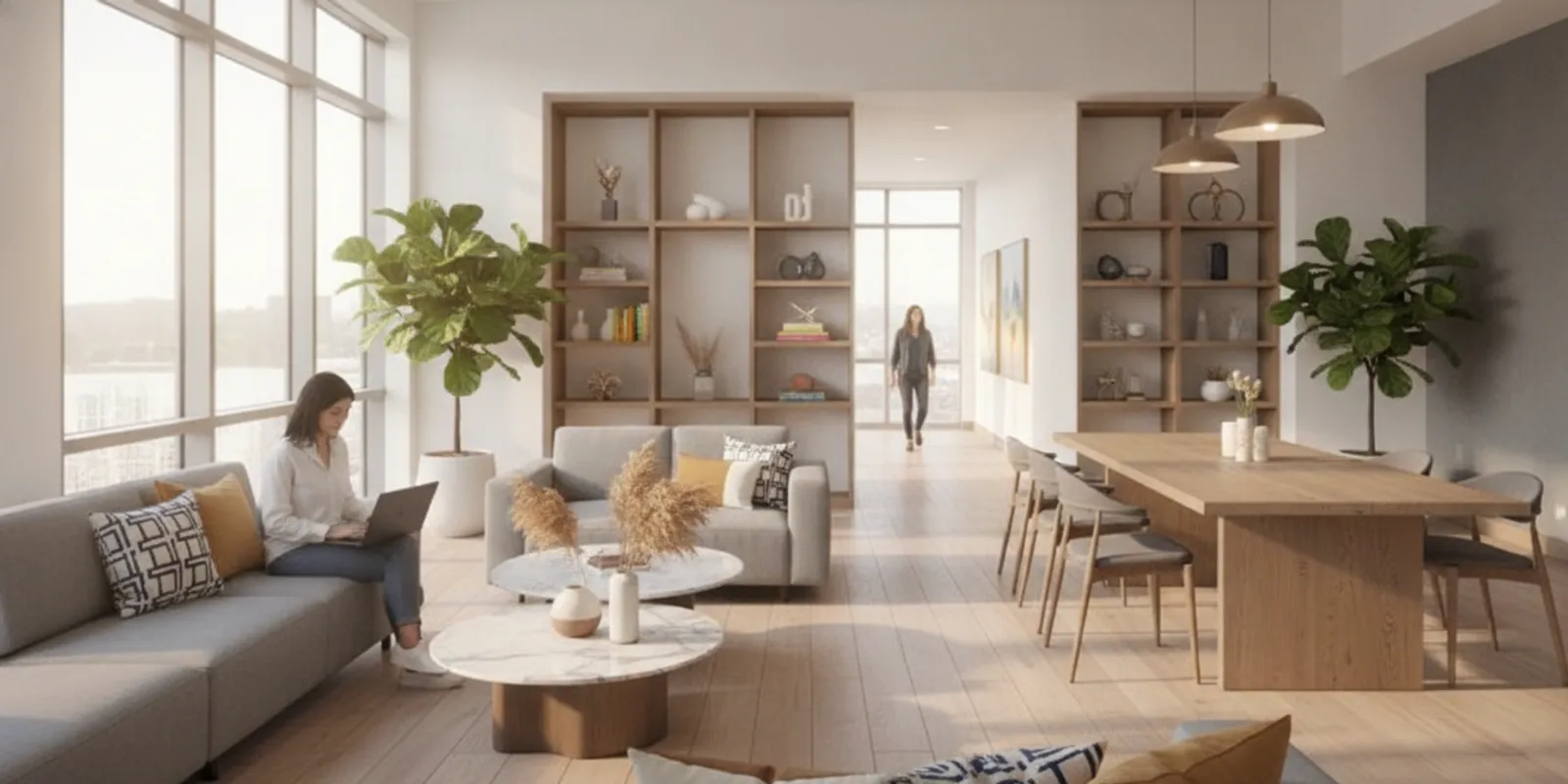
Renderings help teams present a future building, unit, or amenity before photography is possible. They can support pre-leasing and early communications, provided images reflect approved plans and are clearly presented as visualizations. Confirm source plans, materials, finishes, camera views, and revision process before production. Establish who approves design details and how plan changes affect the work.
Scope and complexity affect rendering costs. Show My Property publishes typical project estimates of $3,500–$12,000 and examples of $5,000–$7,000 for a typical 10–12-rendering pre-leasing campaign; these are scoped estimates, not universal rates. Ask what views, revisions, file formats, and usage are included in a quote. Explore still rendering examples to understand the format.
Before commissioning, identify which decisions are settled and which remain open. If finish selections are provisional, document that fact and establish how updates will be handled. A rendering brief should identify the approved source material, the intended audience, the desired camera angles, and any views that are essential for leasing communications. Review details such as furniture placement, lighting, visible fixtures, and exterior context against the source plans. The point is not to overcomplicate review; it is to catch mismatches while changes are still manageable.
Keep rendered and photographed spaces distinguishable in the final presentation. A viewer should not have to infer whether a pool deck or lobby exists today or is planned for a later phase. Clear labeling and surrounding copy can provide context while preserving a polished presentation.
Virtual tours: Can a prospect explore the space at their own pace?
A virtual tour offers an interactive way to explore rooms or shared spaces. It can be useful when a prospect cannot visit immediately or wants to revisit a layout online. Consider whether the tour will cover a model unit, an amenity, or several spaces; how viewers will navigate; and where the tour will be embedded or shared. See virtual reality tour services for information about this kind of experience.
Virtual tours require more than capturing a room. The team should review the sequence, transitions, labeling, and mobile experience. Select spaces that help answer real questions rather than attempting to include every corner. Decide where the tour begins, whether viewers can move between spaces intuitively, and how the tour will help a viewer understand the layout rather than merely click through points.
Floor plans: What is the layout and how does the space work?
Floor plans help prospects compare layouts and understand how rooms relate to one another. They are especially useful alongside photos, because an image shows appearance while a plan clarifies arrangement. Confirm that plans correspond to the correct unit type and are legible on mobile. Show My Property lists floor plans starting at $150; confirm scope and deliverables for a specific project.
Organize the plans with consistent unit-type names and keep the relationship between a plan and its corresponding photos clear. If two layouts look similar, a concise label can prevent a prospect from confusing them. Check that labels remain readable at the size where people will view the plan. A plan that looks clear in a large presentation may become difficult to use on a phone.
Drone imagery: What is the property’s broader setting?
Drone images can establish a community’s scale, exterior character, and relationship to its surroundings. They may help explain site layout or provide a striking opening visual. They do not replace ground-level photography that shows what a resident encounters inside or on foot. Plan flight access, timing, weather contingencies, and the specific views needed before the shoot.
Choose an aerial view because it explains something, not simply because it looks dramatic. For example, it may clarify the relationship between buildings, outdoor areas, and the main entrance. If the goal is to show a resident’s likely arrival, pair a higher site view with ground-level imagery. Confirm practical constraints and permissions as part of planning; do not promise a particular flight or perspective until access and conditions are established.
How do the main options compare?
Use this table to begin a conversation about fit. It is a planning aid, not a universal schedule or rate card; actual timing and scope depend on the property and project.
| Format | Best suited to | Useful planning question | Potential companion asset |
|---|---|---|---|
| Photography | Completed spaces and authentic property details | Which spaces and views answer prospect questions? | Floor plans or short video |
| Video | Movement, atmosphere, and a guided property story | Where will it run, and what should viewers remember? | Photography and social edits |
| Renderings | Unbuilt or unfinished spaces | Which approved plans and finishes must be represented? | Floor plans |
| Virtual tours | Self-guided exploration of selected spaces | Which rooms should a viewer navigate, and how? | Photography |
| Floor plans | Layout comparison and spatial understanding | Are the plans accurate, clear, and mobile-friendly? | Photography or renderings |
| Drone imagery | Site scale, exterior context, and approach | Which safe, permitted views clarify the setting? | Ground-level photography |
For a more useful comparison, add a column for dependencies. Photography depends on access and readiness. Renderings depend on current plans and approvals. Video may depend on coordinated movement through spaces and any people who appear. Tours depend on selecting a route and testing navigation. Plans depend on accurate source information. This turns a high-level menu into a production conversation.
Likewise, compare deliverables in terms of how they will be used. Ask whether files are supplied in appropriate orientations, whether a video includes versions for the intended placements, whether plans are easy to view on mobile, and whether the team receives a clear system for distinguishing final files from drafts. The deliverable is not complete in practical terms if the leasing team cannot identify or share it.
How should a multifamily visual marketing services comparison guide your property-stage mix?
Start with readiness. The right mix for a pre-leasing community is different from the right mix for a stabilized property with refreshed amenities. Use these scenarios as planning examples, then adapt them to your approved scope and audience.
Pre-leasing before the building is complete
When key spaces are not ready to photograph, consider renderings for the future building or amenity, accurate floor plans for layouts, and a clear explanation of what is planned. If completed areas or the surrounding site are available, photography may provide authentic context. Keep visualizations consistent with approved plans and establish an approval checkpoint before publishing.
For instance, suppose the team can show approved plans but construction has not reached the point where a lobby or model can be photographed. Begin by listing the unit types and common spaces prospects must understand. Plans can communicate configuration; renderings can help explain the intended appearance of selected future spaces. Use only views that have a defined role, and make sure labels and nearby copy distinguish planned features from available ones. If a plan changes, hold the affected rendering for review rather than treating an old image as current.
Make the distinction between existing and planned spaces clear in the presentation. Avoid mixing a rendering and a real photograph in a way that could lead a viewer to mistake one for the other. A simple label or surrounding copy can provide context without overwhelming the visual. Keep a record of source plan dates and approval so the team can trace what version is represented.
Lease-up with a model unit and active construction
A lease-up may need to show both what prospects can experience now and what is still forthcoming. Photograph the model and completed amenities, use renderings for unfinished areas, and provide floor plans for unit layouts. A short video can guide prospects through the available experience if the site is ready and the team can manage access.
One workable planning map is to place a floor plan beside each unit-type page, use photography to show the model accurately, and reserve renderings for not-yet-complete features. A video may introduce the community and direct viewers to details, while an interactive tour can focus on a model unit if self-guided exploration is a clear need. The team should not force every format into the launch simply to appear comprehensive. Decide what is necessary for launch, what can wait for completion, and what can be added after observing the questions prospects continue to ask.
Operating community with strong existing assets
If the property already has a usable photo library, audit it before commissioning new work. Mark which images are current, which spaces or unit types are missing, and which files have rights or technical limitations. A targeted reshoot may be more useful than a complete replacement. Consider video or a virtual tour only where they answer questions the current library leaves open.
Use a simple inventory with columns for asset name, space, capture date, status, intended use, and known limitation. A photo of a renovated lounge may remain useful, while an older image of a unit with different finishes may need replacement. Ask the onsite team what prospects routinely ask to see; that input helps distinguish a genuine content gap from a preference for newer imagery. Social content should have its own editorial purpose and distribution plan. Social media support is a distinct service from a rendering project: one supports ongoing communication, while the other depicts planned spaces. See social media management if your team is evaluating ongoing support.
Renovation or amenity refresh
For a refresh, document the finished result with photography and, where appropriate, video. If construction takes place in phases, plan capture around completion milestones. Avoid using outdated visuals that show a different finish without explaining the change. Keep a record of asset dates and the spaces each file represents so teams can retire stale content.
When several areas finish at different times, divide the brief by milestone. Capture completed spaces when they are ready rather than waiting for every part of the project if early assets have a clear use. At the same time, avoid implying that an unfinished amenity is currently open. A simple status field in the asset inventory can help the marketing and onsite teams understand whether a file depicts current, planned, or recently updated conditions.
Property with a specific amenity or location story
Sometimes the marketing question is narrow: a team may need to explain a distinctive courtyard, rooftop, arrival sequence, or relationship to nearby surroundings. In that situation, define the story before choosing the format. Photography may be sufficient if the feature can be understood in a few carefully composed views. Video can help if movement or transitions are central. A drone perspective may clarify site relationships, while a plan may help viewers understand how the feature fits into the property.
Build a small sequence rather than a miscellaneous collection. Start with context, show the feature, and provide a closer view of the detail a prospect is likely to notice. If the feature is planned or temporarily unavailable, state that accurately. The team can then use the sequence in a relevant page or social post without making the imagery carry information it cannot communicate by itself.
What should you compare when evaluating providers?
Once you know the formats you need, compare the working process as carefully as the portfolio. Ask prospective providers to respond to the same brief, so you can assess scope on a like-for-like basis. Include enough information to obtain useful proposals, but keep the brief focused on the actual property, audiences, and uses.
- Relevant examples: Ask to see work for property types and stages similar to yours. Review whether the imagery feels authentic to a multifamily community and whether the deliverable answers the brief.
- Scope and outputs: Confirm the number and type of images or edits, aspect ratios, file formats, revisions, captions, and additional deliverables. Clarify what is excluded.
- Production plan: Discuss preparation, access, shoot sequence, weather contingencies, approval rounds, and who makes decisions on site.
- Turnaround and dependencies: Ask what must be ready before the schedule begins, when drafts will be shared, and how feedback or plan changes affect timing. Do not assume every project has the same turnaround.
- Rights and usage: Confirm how and where the property can use final files, whether usage has limitations, and how long project files will be retained.
- Distribution needs: State whether the work is for a leasing website, social channels, email, listings, or printed materials. Ask for specifications for each use.
- Measurement: Decide what your team will track after launch. Views, engagement, inquiries, or other actions may be relevant, but define each metric and reporting period before comparing results.
- Coordination: Identify who owns the brief, approvals, property access, and final file organization. A clear handoff reduces avoidable confusion.
A portfolio is evidence of style and execution, not a guarantee of a particular leasing result. Keep your evaluation focused on work, process, and fit for the community. When you review performance claims, ask what campaign or account they describe, what period is covered, and how the metric was measured. Treat a single account’s reported outcome as that account’s example, not a universal prediction.
Use one proposal checklist
To compare proposals, ask each provider to address the same points: the business question, proposed asset types, number and description of deliverables, required source materials, site preparation, review stages, revisions, file formats, usage terms, and anticipated dependencies. If an estimate includes optional items, ask that they be separated from the core scope. This makes it easier to see whether two proposals differ because of price, production assumptions, or the actual work being offered.
For example, a proposal for photography may include a set number of spaces and final images, while another may include additional locations or edits. Neither description is automatically better. Ask which spaces are covered, how many views are planned, whether the team chooses selects, and what happens if access is unavailable. For renderings, compare views, revisions, source information, and the treatment of plan changes. For video, compare intended length, crops, captions, and edits rather than just the word “video.”
How can you build a practical visual brief?
A concise brief gives a provider enough context to propose an appropriate scope. Include these items before requesting a proposal:
- Property context: Identify the community, stage, relevant unit types, key amenities, and scheduled opening or renovation dates.
- Audience and questions: Describe who the content is for and what they need to understand or compare.
- Available materials: Share current plans, finish selections, existing images, brand guidance, and approved examples.
- Asset purpose: Name the pages, channels, and campaign uses. Flag required orientations, crops, or accessibility needs.
- Scope boundaries: Separate must-haves from optional ideas. Note what is already available and what should not be repeated.
- Approvals: Name the decision-maker and establish review steps for drafts and finals.
- Timing and dependencies: Include access windows, readiness dates, and deadlines, while allowing for production and review.
- Success measures: Decide what your team will examine after assets are in use, without assuming that visuals alone determine leasing outcomes.
A strong brief also names the handoff. Who will supply the latest plans? Who can confirm that a space is ready? Who will consolidate feedback so a provider does not receive conflicting edits from several reviewers? Who stores the final approved files? Naming those owners early keeps production decisions from becoming a last-minute scramble.
With this brief, proposals are easier to compare. One provider may recommend a focused photography project, while another may suggest a wider combination of formats. Ask each to explain which prospect question each deliverable answers and why it is included. If two proposals suggest different scopes, ask for an explanation of the trade-off rather than selecting based on the larger file count.
Example: turn a broad request into a useful brief
Suppose a team asks for “new visuals for lease-up.” That request leaves open whether the property is ready, what is missing, and where the files will be used. Refine it: “We are beginning pre-leasing. The model unit and lobby are ready, but two amenities are still under construction. Prospects need to compare two unit layouts and understand the planned amenity spaces. We need a web set and selected social formats. The development team will approve representations of planned spaces.” This version gives a provider a basis to propose a mix of photography, plans, and perhaps renderings without presuming the answer in advance.
Next, separate required work from options. The required set might include photos of ready spaces and clear plans for the two layouts. A rendering of one future amenity could be an option if approved plans are available. Video might be deferred until the site can be shown as a coherent experience. This staged scope gives the team a launch-ready foundation and a clear way to assess later needs.
How should you organize and reuse finished assets?
Visual production delivers more value when files remain easy to find and are used consistently. Create a central library with descriptive names, property and room labels, capture dates, orientation, and usage notes. Separate approved finals from drafts. If an asset depicts a planned space, label it accordingly in the file name or accompanying record.
Before repurposing a file, check that the crop still communicates the intended subject and that the format suits the channel. A wide exterior image may need a different composition for a vertical feed. Avoid cropping out details that change context or imply a feature the property does not offer. Keep the original high-resolution file when available and create channel-specific copies.
Coordinate the library with the content calendar. A property image can support a leasing page and a social post, but accompanying copy and call to action should fit each setting. If social publishing is managed separately, define who provides imagery, who approves copy, and how the team handles timely property updates. That coordination does not mean every visual service should be packaged as one campaign; it means the team should be clear about how each independently scoped asset will be used.
A simple file and review workflow
- Collect: Place source materials and existing assets in a shared, clearly named location. Keep source files separate from final exports.
- Label: Record property, space, unit type, capture or plan date, orientation, and whether the asset is a photo, rendering, plan, or video.
- Review: Route drafts to the people responsible for factual accuracy, brand fit, and final approval. Consolidate comments into one set.
- Approve: Mark the exact final version and date. A change after approval should trigger a fresh review of the changed file.
- Distribute: Save channel-ready versions and note where each is used. Keep the original available for future crops where permitted.
- Retire: When a space, finish, or plan changes, flag old assets and remove them from active use where they could mislead.
This procedure is deliberately simple. It does not require a complex platform; it requires a shared convention that a marketing director and onsite team can follow. A useful folder structure might divide current approved assets by property and format, with a separate archive for superseded files. The key is that people can distinguish a current, approved image from a draft or outdated view without opening every file.
How can you plan measurement without overclaiming?
Visual assets are one part of a larger marketing and leasing experience. A team can still evaluate whether an asset is being used and whether it is associated with useful actions, but it should define the measurement before launch. Start by stating the purpose: clarify a unit layout, improve the property page, support an upcoming campaign, or provide the onsite team with current material.
For a page-level evaluation, record the page, the period, the content change, and the measure the team intends to review. For a social placement, specify the account, creative version, date range, and the meaning of each reported metric. For inquiries, decide how the team will identify the relevant source and what counts as an inquiry. Do not compare numbers from different channels or periods without noting those differences.
Use a simple before-and-after worksheet: asset or page, change date, comparison period, measure, source of the data, and caveats. If more than one change occurs at once, record that context. This does not prove that a visual caused a change, but it makes the review more disciplined and useful for deciding what to test next.
Separate exposure from action. A view or impression says that content was displayed or watched according to the channel’s definition; it does not by itself show that a prospect understood the property or took a leasing step. Engagement may suggest interaction, but the definition varies by platform. A form submission or call is a different action again. Keep those categories distinct when reporting to stakeholders.
If a provider presents campaign figures, ask what account and period they describe, how each metric is defined, and whether the result belongs to one campaign or a broader set. A specific example may be useful evidence of execution, but it is not a promise that another property will achieve the same result. The responsible conclusion is often narrower: the asset was delivered, used in a defined context, and associated with the stated measurement. Avoid attributing a change to visuals alone when pricing, availability, timing, channel mix, and onsite follow-up may also matter.
What mistakes make a comparison less useful?
- Choosing by file count alone: Compare relevance, scope, and usability, not just quantity.
- Mixing real and planned spaces without context: Identify visualizations clearly and make sure underlying plans are current.
- Ignoring the destination: A deliverable that does not fit the channel or device may need extra work after delivery.
- Leaving approval undefined: Set who signs off and what changes can be requested at each stage.
- Assuming a format solves every problem: Photography, video, plans, tours, and renderings answer different questions.
- Counting activity as an outcome: More assets or posts do not by themselves establish more inquiries or leases. Specify how results will be assessed.
- Overlooking ongoing maintenance: Plans, finishes, availability, and amenities may change. Assign responsibility for checking whether published assets still represent the property.
- Collecting feedback from too many owners at once: Set a review lead who can reconcile comments and obtain a clear decision.
These mistakes are avoidable when the team treats production as a managed sequence: define the question, confirm the source information, create the assets, review factual details, approve the files, publish them in the intended context, and revisit the library when the property changes.
Frequently asked questions
Which visual marketing service should a multifamily community choose first?
Start with the largest information gap. If spaces are ready and prospects need to see them, photography may be a sensible first step. If the building is not complete, plans and renderings may be more appropriate. Choose based on readiness and the audience question, not a one-size-fits-all sequence.
Are renderings a replacement for property photography?
No. Renderings depict planned or unbuilt spaces, while photography records actual spaces. They can work alongside each other when a property has both existing areas and future features, as long as planned imagery is clearly distinguished from photographs.
Do multifamily visual marketing services have fixed prices?
Pricing depends on scope and format. Show My Property lists floor plans starting at $150 and sitemaps starting at $999. Its rendering page gives typical project estimates of $3,500–$12,000, including $5,000–$7,000 examples for a typical 10–12-rendering pre-leasing campaign. These are not universal rates; request a project-specific scope and confirm current deliverables.
Should every property invest in video and a virtual tour?
Not necessarily. Consider whether prospects need movement, an overview, or self-guided exploration, and whether your team can use and maintain the resulting assets. A focused set of still photography and plans may answer the immediate questions more directly for some properties.
How can a team judge whether new visuals are working?
Set a baseline and select measures that match the asset’s purpose, such as page engagement or inquiries associated with a campaign. Define the period, channel, and attribution method in advance. Interpret changes carefully, since visuals are one part of the larger leasing experience.
Contact Show My Property to discuss your project
A thoughtful comparison begins with the prospect’s questions, the property’s readiness, and the team’s ability to put each asset to use. With a clear brief, a defined approval process, and an organized library, your next visual project can support a more consistent and useful property story.