
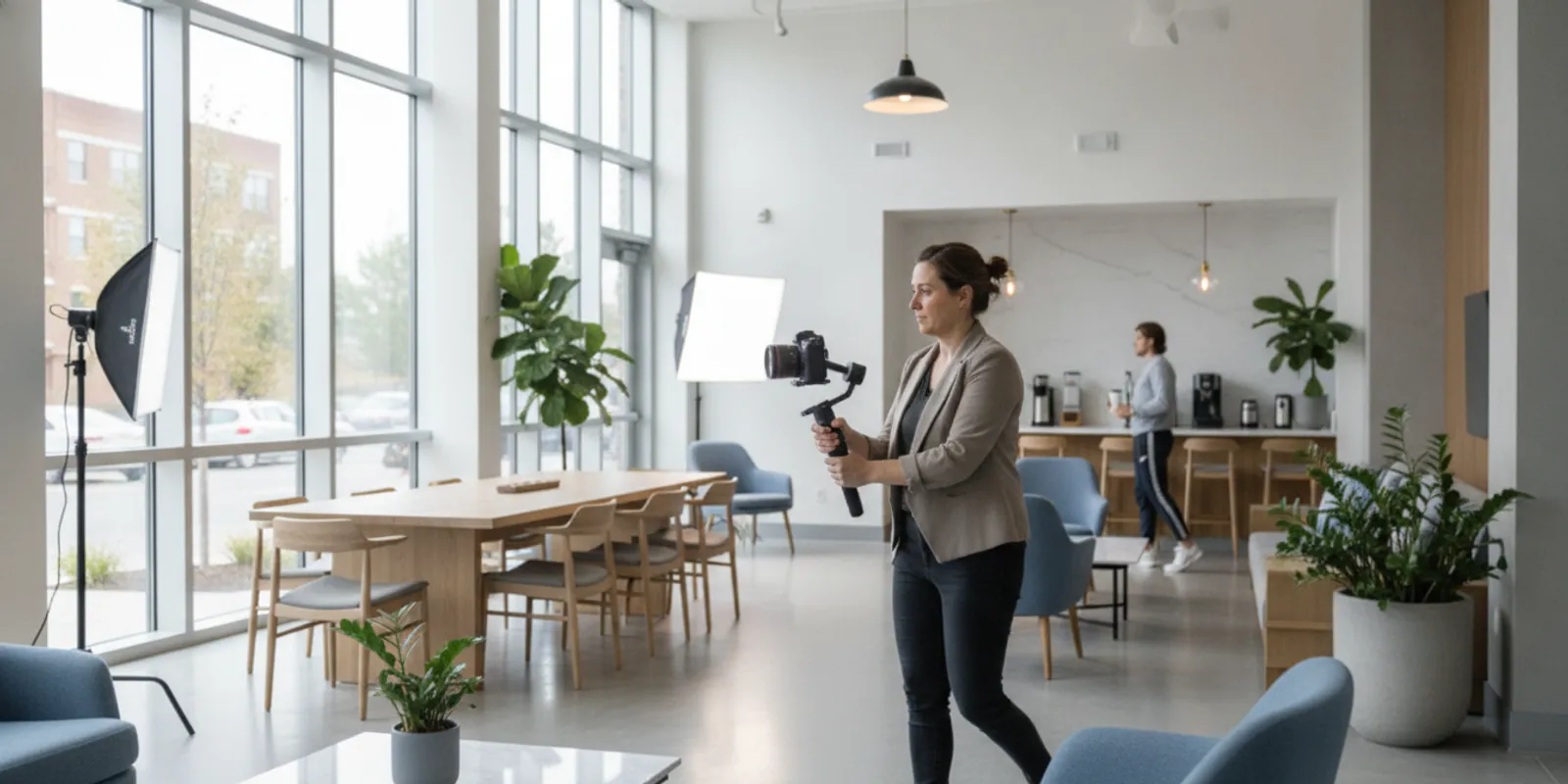
Real estate video production can help an apartment marketing team show what a community feels like, explain how spaces work, and give prospects a clearer view than a collection of still images alone. The right project starts with a defined audience and use, not with a camera choice. This guide walks through the decisions that shape a useful property video, from concept and access to editing, approvals, and distribution.
What should a property video help the viewer understand?
Before choosing a format, write down the viewer’s question. A renter comparing apartments may want to understand the path from the lobby to a unit, the scale of a living space, or the connection between indoor and outdoor amenities. A marketing director may need a piece that introduces a new community, supports a lease-up campaign, or gives leasing staff an asset to share after an inquiry. Those are different jobs, even if both projects feature the same building.
A concise creative brief can name the audience, the question to answer, the desired next step, and where the video will appear. For example: “A prospective resident who has not toured in person should be able to understand the route through the model apartment and see its key features on a phone.” That gives the production team a test for every shot. If a proposed scene does not help answer the question or establish the community experience, it may not belong in the final cut.
Separate the communication goal from the business outcome. A video can be designed to support awareness, give a leasing team a useful follow-up asset, or explain a property feature. Whether it changes inquiries, tours, or leases depends on many factors beyond the video itself. Define what the team can measure and influence, but do not treat a creative deliverable as a promise of a leasing result.
Also identify practical constraints early. Confirm the property opening or lease-up stage, the areas available to film, whether residents or staff may appear, and any brand or ownership approvals. A project intended for a public website may need a different duration and pacing from a short vertical edit intended for social feeds. These decisions make the brief more precise and reduce avoidable revisions.
Which real estate video format fits the job?
“Property video” can describe several distinct deliverables. A cinematic overview, a guided apartment tour, a short social edit, a testimonial, and a virtual walkthrough do not serve the same viewing context. Choose the format by matching the viewer’s question to the content and channel. Do not assume that one long video can simply be chopped into every asset without changes to framing, story, or sound.
- Community overview: Establishes the property’s setting and experience through a mix of exterior, amenity, and lifestyle footage. It can be useful when a viewer is still learning what makes a community distinct.
- Unit or floor-plan tour: Follows a clear route through an apartment and highlights how the rooms connect. It is useful when layout and flow matter more than a broad brand introduction.
- Amenity feature: Focuses on one space or experience, such as a lounge, fitness room, courtyard, or pool area. It gives the team a specific subject to share rather than asking every clip to cover the entire property.
- Short social video: Uses a focused opening and a small number of visual ideas for a brief feed or story placement. It should be planned for its actual aspect ratio and viewing environment.
- Interview or resident story: Uses a person and a clear subject to bring perspective to a property story. Participation, permissions, and any factual claims need to be handled carefully.
- Virtual or interactive tour: Lets viewers explore a space through a navigable experience. It is a different deliverable from a linear edited video, even if both help explain a property.
Some formats can share footage, but that does not make them interchangeable. A detail shot that enriches a longer overview might not tell a complete story in a short vertical edit. A tour needs enough continuity for viewers to understand where they are moving; a social cut may prioritize a single memorable moment. Decide which deliverables are essential, then plan coverage for them rather than expecting every use to emerge from one edit.
Review the property’s existing media before commissioning anything new. An existing video tour example can help a team discuss the difference between a guided sequence and a broad community overview. Bring examples that match the property’s visual identity and use case. Discuss what is useful about each one: the route, amount of detail, feeling, pace, or framing. “Make it like this” is less actionable than naming the specific quality to carry into a new project.
How should a team plan an apartment smartphone tour?
A smartphone tour can be a practical option when the goal is to capture a clear, direct walkthrough with a phone. It is not automatically a substitute for a professionally planned production. The choice depends on where the footage will be used, how polished it needs to look, what equipment and skills are available, and whether the team can control light, sound, and movement at the property.
Start by choosing one route and one viewer question. For a model apartment, map the sequence from the entry through the main living area, kitchen, bedroom, and any other spaces that matter. Decide where to pause so viewers can see the room, and where to move so they understand the connection between rooms. A route that wanders, doubles back, or spends time on unrelated details can make a small apartment feel confusing rather than informative.
Before recording, clear the space and check the frame. Remove temporary clutter, close cabinet doors, straighten furnishings, and make sure the view through windows supports rather than distracts from the room. Turn on practical lights where appropriate, but watch for mixed color temperatures or bright fixtures that overpower the image. If daylight changes quickly or direct sun creates harsh patches, consider another time of day. A few minutes of preparation can be more useful than repeated takes of a room that was not ready.
Hold the phone steadily and move slowly. Walking footage often looks shaky because each step transfers movement into the frame. A small stabilizer can help, but it does not replace deliberate movement and a rehearsed route. Avoid fast pans, abrupt turns, digital zooms, and filming while talking if the voice becomes difficult to hear. Record a short test, watch it with sound, and check whether the room looks level, the important details are visible, and speech is understandable.
Keep narration simple. Name the space, point out a relevant feature, and let the viewer look at it. Avoid reciting every fixture or making claims about dimensions, availability, pricing, or amenities unless those details are verified and approved. A smartphone clip may work well as an informal leasing follow-up or a timely social post. If the asset needs controlled lighting, multiple locations, professional audio, a refined brand treatment, or consistent versions across channels, a planned production may be a better fit.
Respect privacy and property rules. Do not record residents, personal belongings, computer screens, access codes, or other identifying information without authorization. Confirm whether filming is permitted in each area, and get appropriate consent before including identifiable people. The convenience of a phone does not remove the need for a clear plan and responsible review.
What should a production plan include?
A useful production plan translates the brief into a shoot that can be carried out on site. It should identify the main story, locations, people, shot priorities, schedule, and deliverables. A shot list is not simply a checklist of rooms. It should describe what the viewer needs to see in each location and how the images help move the story forward.
For a community overview, a sequence might begin with the exterior or arrival, move through shared spaces, and finish with a unit or lifestyle moment. For a floor-plan tour, the order should follow a plausible route and avoid cuts that make the layout hard to follow. For an amenity feature, decide whether the story is about the room’s design, its function, or the experience of using it. A clear hierarchy helps the camera team prioritize if access or time changes on the day.
Plan a mix of wide, medium, and detail shots. Wide frames establish the room and its layout. Medium frames show how furniture or features relate to one another. Detail frames add texture, materials, signage, or smaller design elements. Use human presence only when it supports the intended story and can be captured naturally with permission. Lifestyle footage should feel like a plausible moment in the community, not a staged scene that misrepresents how a space works.
List technical and logistical details too: filming dates and times, access contacts, elevator or loading instructions, areas with restrictions, parking, power, noise considerations, weather contingencies, and any required safety steps. For a property that is still under construction or in lease-up, distinguish completed spaces from areas that are not ready. Confirm whether the team may film renderings, staged units, or other visual materials, and how those should be identified in the finished content.
Plan coverage for every requested format. If a horizontal overview and vertical social edits are both needed, decide how each scene will be framed. A subject positioned at the far edge of a wide frame may be cropped out of a vertical version. Some scenes can be captured with flexible framing; others may need a separate take. Build these needs into the shot plan instead of assuming that an edit can fix every framing problem later.
How can the story show a community without feeling generic?
Many apartment properties have familiar categories of spaces: a lobby, model unit, fitness room, outdoor area, and shared lounge. Showing those spaces is useful, but a sequence of attractive rooms is not yet a story. The creative question is what the viewer should understand about this particular community and how the spaces connect to that idea.
Look for details that are specific, verifiable, and visually clear. The way a resident moves from the entrance to a shared space, the relationship between a kitchen and living room, or the view from a particular amenity may help convey how the property is experienced. A marketing team can identify the property features it wants to communicate, then the production team can translate them into a visual sequence. Avoid generic superlatives that could describe any building.
Use people with intention. A person entering a lounge, preparing a meal, or meeting a neighbor can help establish scale and use, provided the scene fits the property’s brand and the participants have given permission. The action should not distract from the feature being shown. If no people are available, thoughtful camera movement, changes in perspective, and clear sequencing can still make the space understandable and inviting.
Authenticity also depends on matching the footage to the real property. Show the spaces the audience can expect to encounter, and be clear when footage depicts a model, a staged unit, or a planned feature. Avoid framing that implies an unavailable view, amenity, or finished condition. If the community is in development, agree on how current photography and proposed visuals will be distinguished in captions or surrounding copy.
When a property has several audiences, resist putting every audience message into one short video. A prospect evaluating a floor plan may not need the same opening as a resident looking for community programming. Separate edits or companion assets can make each message more direct. The production brief should state which audience takes priority and what secondary uses are realistic.
How do location, light, and sound affect the shoot?
Apartment interiors present practical filming challenges. Rooms may be compact, windows may be much brighter than the interior, and reflective surfaces can reveal equipment or crew. A site visit or pre-shoot review helps identify these issues before the scheduled production day. It also gives the property team time to address staging, access, and maintenance needs.
Natural light can create a bright, welcoming look, but the time of day matters. A room that is well lit in the morning may have strong direct sun later. Exterior shots can also change quickly with weather and cloud cover. If twilight imagery is important, schedule enough time to capture the transition and consider what access will be required after normal business hours. Keep a backup plan for weather-sensitive scenes.
Sound should be planned even when the final piece is primarily visual. HVAC, traffic, construction, pool equipment, and public activity can affect usable audio. Interviews need a quieter location and a clear plan for microphone placement. If narration will be recorded later, the editor can use suitable music or sound design, but those choices should fit the brand and any platform or licensing requirements. Do not assume that music found online is cleared for commercial use.
For moving camera shots, plan the path and remove hazards before filming. Check that doors can open fully, pathways are clear, and the camera operator can move safely without interfering with residents or staff. If drone footage is considered, confirm local permissions, property rules, flight conditions, and qualified operation before it is added to the plan. An aerial view can establish a property’s setting, but it should not be treated as a required shot for every project.
Communicate with the property team about resident notices and access. A scheduled shoot may affect common areas, model units, or leasing operations. Clarify who is responsible for notifying staff and residents, how long each location will be occupied, and what happens if a space becomes unavailable. A considerate schedule protects the shoot while reducing disruption to normal property activity.
What deliverables should be agreed before filming?
Production conversations can become unclear when “a video” is treated as a complete scope. List the deliverables in writing. This may include a primary edited piece, shorter cutdowns, alternate aspect ratios, captions, a version without text overlays, still frames, or raw footage if those are needed and available. Specify which items are essential and which are optional, and confirm the intended channels before editing begins.
Duration is one useful planning detail, but it should not be the only one. A longer piece may allow a guided tour or more context. A shorter piece may focus on one benefit or moment. The appropriate length depends on what must be communicated and where people will watch. Avoid adding scenes simply to reach an arbitrary runtime; equally, do not cut so aggressively that the viewer cannot understand a route or feature.
Specify file orientation, resolution, file type, and delivery method based on the team’s actual needs. Identify whether the video will appear on a website, property listing, presentation, email, or social channel. If the same project will serve multiple placements, ask how the versions will differ and whether titles, captions, or calls to action need channel-specific treatment. A vertical crop is not always equivalent to a purpose-built vertical edit.
Clarify responsibilities for music, voiceover, on-screen text, brand assets, captions, and final copy. Decide who supplies property facts and who verifies them. Establish whether translated versions or subtitles are needed. Confirm who will review the first cut, who can consolidate comments, and how many review rounds are included in the proposed scope. These details are easier to agree before editing than after multiple stakeholders provide conflicting feedback.
Ask how the team will receive and store the final files, whether any project files are included, and what usage rights apply to footage, music, and participant appearances. The precise arrangements depend on the project agreement, so do not assume that possession of a video file grants every possible reuse right. A written scope helps property and agency teams understand what has been delivered and what would require a new request.
How should a marketing team manage approvals?
Approvals work best when the right people review the right things at the right time. Before the shoot, confirm the concept, property access, people appearing on camera, and any sensitive details. During the first edit review, focus on story, accuracy, and major omissions. Later reviews can address polish, text, pacing, and technical details. If stakeholders wait until the final export to raise a basic story concern, revisions may become more complicated.
Assign one person to collect feedback from ownership, property management, leasing, and brand stakeholders. Ask reviewers to comment on a single shared version and identify timecodes when possible. “The amenity section at 00:32 needs a different shot” is easier to act on than “the middle feels off.” Separate required corrections, such as inaccurate property information, from preference-based suggestions about music or pace.
Set a decision deadline and identify who has final approval. Confirm whether the approved video may be adapted into short versions, whether captions can be corrected after delivery, and what process applies if a property detail changes. Treat approval as applying to the specific reviewed version. A later edit, new claim, different crop, or newly added image should be checked against the same brand, rights, and accuracy requirements.
Build factual review into the process. Verify property names, amenity descriptions, availability language, opening status, and any call to action. If figures or claims appear on screen, confirm their source and whether they remain current. A video is often shared outside the original context, so text should be clear and should not imply more than the supporting information establishes.
Finally, plan for completion rather than just sign-off. Confirm that the final files open, play with sound, include captions where agreed, and use the correct versions. Keep an organized record of the final approved files and their intended placements. That simple handoff can prevent teams from accidentally using a draft or a version with outdated information.
How should the video be distributed and measured?
Distribution begins with knowing where the asset belongs. A detailed tour may be useful on a property website or in a follow-up conversation, while a short edit may be more suitable for social distribution. The team should use the formats agreed in the scope and check that each placement displays the video as intended. Confirm thumbnails, captions, page context, and the destination linked from the post.
Match the measurement plan to the purpose. If the goal is to make a video available as a leasing resource, track whether it is used in the intended channel and whether staff can access it easily. If it is part of a campaign, define the specific platform metrics to review and the time period for doing so. Views, completion, clicks, inquiries, and tours describe different points in a journey. No single measure establishes that the video caused a leasing result.
Keep the context alongside any performance figures. Record the placement, audience, dates, creative version, and other campaign changes that might affect the results. When reporting a result from one account or one campaign, label it as such rather than presenting it as a universal benchmark. The purpose of measurement is to learn whether the asset served its intended use and what to test next, not to turn one result into a promise for another property.
Make the next step clear to the viewer. Depending on the placement, that may be to explore floor plans, request information, or contact the leasing team. Check that the link works on the device and platform where the video appears. If the video is watched without sound, captions or concise on-screen context can help communicate its point. Keep essential information legible and avoid covering important visual details with overlays.
Review the video after launch as well. Property information can change, team members may notice a confusing section, or the asset may be reused in an unplanned context. Decide who is responsible for checking whether it remains accurate and accessible. Retire or revise it when the depicted spaces or claims no longer reflect the property.
How should teams compare production approaches?
A team may choose a staff-recorded smartphone tour, a professionally produced video, or a combination of both. The decision should account for the intended quality, speed, production control, editing needs, and planned reuse. A quick phone recording may be suitable for an immediate, informal update. A polished campaign asset may require advance planning, more controlled lighting and sound, a crew, editing, and a structured review.
Use the comparison below as a starting point, not as a universal price list or rule. The exact scope depends on the property, access, locations, deliverables, schedule, and rights required.
| Approach | Best fit | Team responsibilities | Questions to resolve |
|---|---|---|---|
| Staff smartphone recording | Timely, informal walkthroughs or simple updates | Prepare the space, follow a planned route, record and review audio and image, secure permissions | Will this quality work in the intended channel? Who edits and captions it? |
| Planned professional shoot | Brand-led overview, guided tour, or polished campaign asset | Set goals, provide access and property details, prepare locations, review the edit | Which formats, versions, review rounds, rights, and delivery files are included? |
| Virtual or interactive experience | Viewer-led exploration of a unit or space | Confirm spaces, access, navigation needs, and where the experience will be hosted | Is an interactive tour needed, or will a linear video answer the question? |
| Combination of approaches | A planned core asset plus timely, less formal updates | Keep brand, accuracy, permissions, and file organization consistent | Which content needs production control, and which can be captured by staff? |
When reviewing a proposal, compare like with like. One quote may include filming, editing, multiple versions, licensed music, captions, and revisions; another may cover a narrower deliverable. Ask what assumptions the scope makes about shoot time, locations, access, crew, travel, and post-production. Ask what would change the scope, and how additional edits or new versions are handled. The goal is to understand the work included rather than choosing by a headline number alone.
Consider the team’s capacity too. A lower-complexity approach still requires someone to coordinate access, prepare rooms, check claims, and publish the file. If no one owns those steps, a simple recording can stall. A production partner may help structure the process, but the property team remains an important source of accurate information and timely approvals.
What should a team ask a video production partner?
A focused conversation can reveal whether a proposed approach matches the project’s needs. Ask the partner to explain how the brief becomes a shot plan, how they adapt framing for different channels, and what they need from the property team. Look for specific answers about process and deliverables rather than broad assurances.
- What audience and viewer question does the proposed concept address?
- Which locations and scenes are essential, and what is the backup plan if access changes?
- How will the shoot cover both landscape and vertical versions, if both are requested?
- Who supplies and verifies names, amenity details, dates, and other on-screen facts?
- What deliverables, file formats, captions, usage rights, and review rounds are included?
- How will music, narration, participant permissions, and any required releases be handled?
- Who consolidates feedback, who gives final approval, and what is the expected review sequence?
- How should the finished content be distributed and evaluated for its intended purpose?
Review examples with a critical eye. Ask what the example was created to do, what portions were included in the project, and whether the format resembles your own needs. A visually impressive video is not automatically the right reference for a compact unit tour or a short mobile-first edit. Notice whether the property is easy to understand, whether the pacing feels appropriate, and whether the content appears consistent with the intended audience.
Show My Property presents property video and related visual work through its video examples. A team can use relevant samples to identify preferred pacing, visual treatment, or scope, then discuss how its own property and audience differ. The goal of an example review is to make the brief more concrete, not to assume that every project should use the same approach.
What mistakes can weaken a property video?
A common mistake is starting with the equipment rather than the question. A gimbal, drone, or high-resolution camera can be useful, but equipment does not decide which story matters. Without an audience, a route, and a priority, a shoot can produce a large volume of footage without a coherent edit.
Another is trying to represent every feature in a single short video. A rapid sequence of amenities may technically show many spaces while giving viewers little time to understand any of them. Choose the most relevant ideas for the audience and create separate assets when different uses need different messages. A focused video is easier to plan, review, and place.
Unplanned movement and framing can make spaces difficult to read. Fast pans, tilted horizons, abrupt transitions, and repeated zooms pull attention away from the property. Over-staging can be a problem too: if furniture blocks a route or a person performs an unnatural action, the video may feel less credible. Rehearse the path and ask someone unfamiliar with the space to watch a test clip before the shoot is complete.
Skipping permissions or factual review creates avoidable risk. A participant may not have agreed to appear, a private screen may be visible, or a property detail may be out of date. Have a designated reviewer check both what the video says and what it shows. That includes the surrounding copy and destination page, not only the footage itself.
Finally, do not equate views with business impact. A platform view does not necessarily mean a person watched the entire piece, understood the property, or took a next step. Use measures appropriate to the placement and state what they do and do not show. Treat the video as one part of the property’s marketing work, alongside accurate information, a usable inquiry path, and the leasing team’s follow-up.
How can a team turn the plan into a useful brief?
Use a short written brief that captures decisions in a way the production and property teams can act on. It can be detailed without becoming a script. The brief should leave room for visual discovery while making the audience, purpose, limitations, and approval path clear.
- Name the property and project stage. State whether the community is open, in lease-up, under construction, or at another stage. Identify any areas that are not available to film.
- Choose the primary viewer. Describe who will watch and what they need to understand. Avoid combining unrelated audiences into a single vague target.
- Define one main purpose. Select the primary job for the asset, such as introducing the community, clarifying a floor-plan route, or featuring a specific amenity.
- Choose placements and formats. List the intended channels, orientation, versions, captions, and any related deliverables. Identify the required core version first.
- List factual and visual priorities. Note approved property details, must-show spaces, brand guidance, and any exclusions. Identify which images or information require confirmation.
- Plan access and people. Provide dates, contacts, location availability, resident or staff coordination, and permission requirements.
- Set review responsibilities. Name the feedback owner and final approver. Agree on review timing, consolidated notes, and how factual corrections will be handled.
- Choose a measurement question. Specify what the team will observe after delivery, such as whether the asset is used in the intended placement or whether a campaign metric is relevant.
Then ask whether every requested scene supports the stated purpose. If the brief has several equally important goals, choose a lead goal or divide the work into separate pieces. This simple check can keep the project manageable and make feedback more consistent. It also helps the team recognize when a request is outside the agreed scope and should be discussed before filming or editing proceeds.
For a closer look at how a property-focused video can be shaped, review the feature video tour and discuss which elements fit the brief. A broader overview of the company’s visual and marketing work is available on the work with us page. These references can start a practical conversation about deliverables, timing, and the particular needs of a community.
Frequently asked questions
Is a smartphone tour enough for an apartment marketing team?
It can be enough when the need is a timely, straightforward walkthrough and the team can record stable, clear footage with accurate information and appropriate permissions. For a polished campaign asset, several formats, controlled audio and lighting, or more involved editing, a planned production may be a better fit. Choose based on the audience, channel, quality needs, and team capacity.
Should every apartment video include people?
No. People can add scale and show how a space may be used, but they are not necessary in every video. If people appear, make sure the scene fits the property and brand, participation is authorized, and the activity feels natural. A clear route, thoughtful framing, and relevant details can tell a useful story without on-camera participants.
Can one video be used on a website and social channels?
Sometimes, but the file may need alternate edits, framing, captions, or pacing for each placement. Confirm the intended channels before the shoot and plan coverage accordingly. Do not assume that cropping a horizontal video will preserve the subject or story in a vertical frame.
How long should an apartment community video be?
There is no single duration that works for every purpose. A guided tour may need enough time to make a route understandable, while a short social piece may focus on one feature or moment. Decide what viewers need to know, where they will watch, and how much information the piece can carry without rushing.
What should a team measure after publishing a video?
Measure according to the intended use. The team may check whether the file is being used in the planned channel, or review relevant platform measures such as views, completion, clicks, or inquiries. These measures reflect different actions and do not by themselves prove that a video caused a lease. Preserve the campaign context when interpreting results.
A strong property video begins with a clear viewer question, an achievable scope, and accurate details. When the brief, shoot plan, approvals, and distribution all support the same purpose, the finished asset is easier for a marketing or leasing team to use with confidence.